
XeroLinux Package Manager
After months of development, xPackageManager is ready. A native graphical package manager built specifically for XeroLinux and Arch Linux users. No more juggling terminal windows, no more remembering pacman flags, no more switching between tools for pacman and Flatpak. Everything lives in one fast, clean application.
But Why Another?
Section titled “But Why Another?”Existing tools are either abandoned, ugly, slow, or only handle one package ecosystem. xPackageManager handles pacman packages and Flatpaks in the same window, ships with built-in system repair tools, shows live Arch news, and visualises dependency trees, all while feeling like a native KDE application.
Built in Rust with the Slint UI toolkit. No Electron, no Python overhead. A lean binary that starts in under a second.
pacman + Flatpak
Both ecosystems managed from one window. Install, remove, and update without switching tools.
Built in Rust
No Electron, no Python. Slint UI toolkit. Starts in under a second, stays lean under load.
Dependency Trees
Full interactive dep graphs for any package. Installed, missing, and optional nodes colour-coded.
System Repair
7 built-in tools for common Arch problems. Each shows the exact command it runs.
Live Arch News
Pulls the latest announcements from archlinux.org inline. Read before you upgrade.
14 Languages
Czech, German, Spanish, French, Italian, Japanese, Korean, Dutch, Polish, Portuguese, Russian, Swedish, Turkish, and Simplified Chinese.
Flatpak Permissions
Fine-grained permission control for every installed Flatpak. Toggle network, IPC, Wayland, X11, D-Bus, GPU access and more per app, without touching the terminal.
Pacman Rollback
Full transaction history pulled from pacman logs. Select any past upgrade and roll it back in one click. No manual downgrade commands required.
Why No AUR Support?
Section titled “Why No AUR Support?”xPackageManager intentionally leaves out AUR support, and there are good reasons for that.
First, compatibility. The AUR is a collection of user-submitted build scripts. Quality and reliability vary wildly. Integrating it into a GUI adds a layer of risk that is hard to control and even harder to debug when things go wrong.
Second, Chaotic-AUR. XeroLinux ships with Chaotic-AUR pre-configured in the repo manager. It provides pre-built binaries for thousands of the most popular AUR packages, so in most cases you already have access to what you need through standard pacman. No extra tooling required.
Third, the AUR is designed for advanced users who are willing to read and understand a PKGBUILD before running it. It is not a one-click app store. If you do not know what a PKGBUILD is, the AUR is probably not the right tool for you.
That said, if you want to use the AUR on XeroLinux, the terminal is the right place for it:
paru packagenameA Tour of Every Section
Section titled “A Tour of Every Section”~ Click any screenshot to preview ~
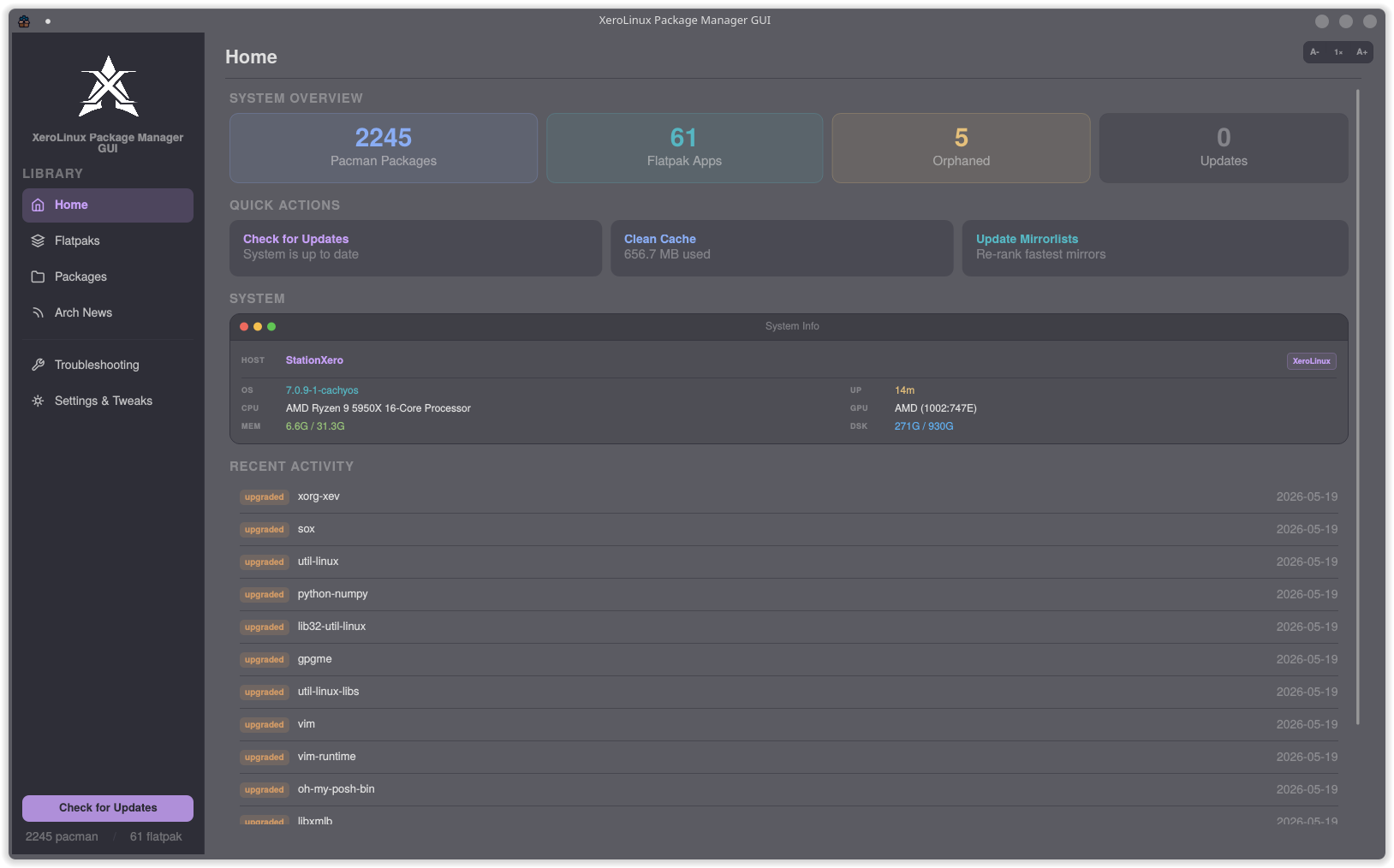
Home: Your System at a Glance
The home screen gives you everything at once:
- System Overview: total pacman packages, Flatpak apps, orphans, and pending updates
- Quick Actions: Check for Updates, Clean Cache, Update Mirrorlists, one click each
- System Info: hostname, OS, kernel, CPU, GPU, RAM, disk, and uptime
- Recent Activity: live log of every install, upgrade, and removal
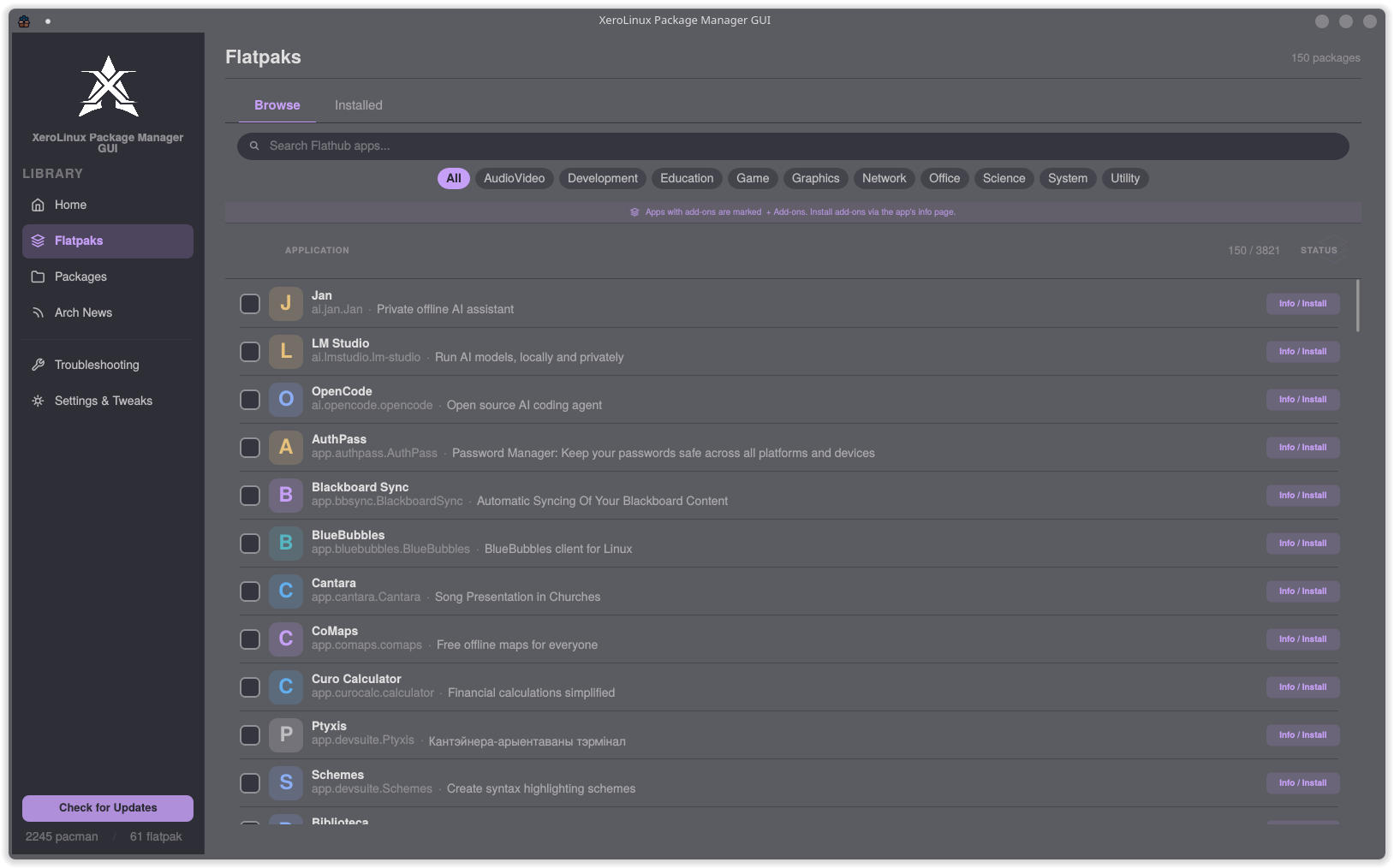
Flatpaks: Browse Flathub
Explore all of Flathub without leaving the app. Filter by category or search by name. Installing takes one click.
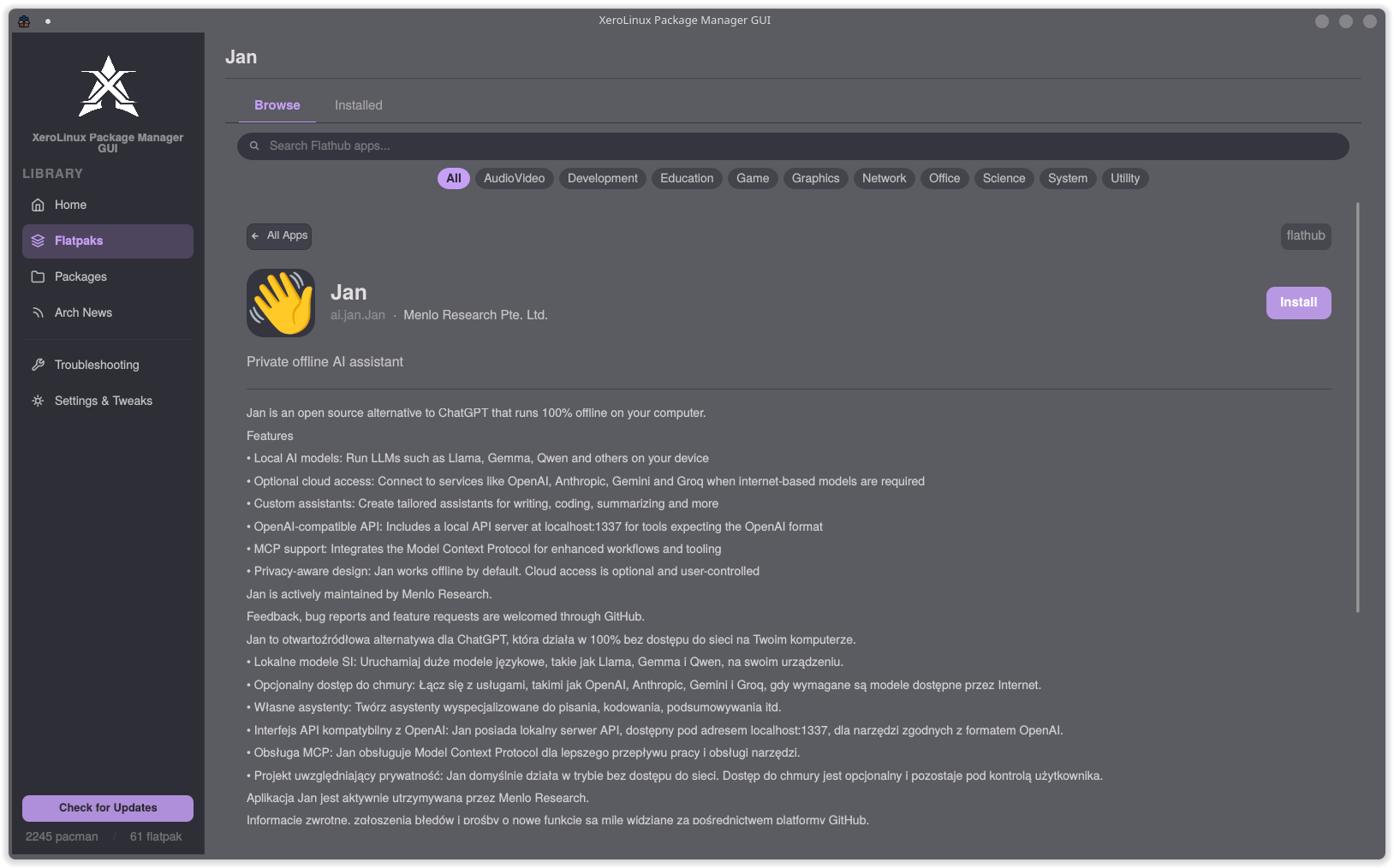
App Detail View
Full description, screenshots, version history, and an Install or Remove button. Add-ons and extensions listed separately.
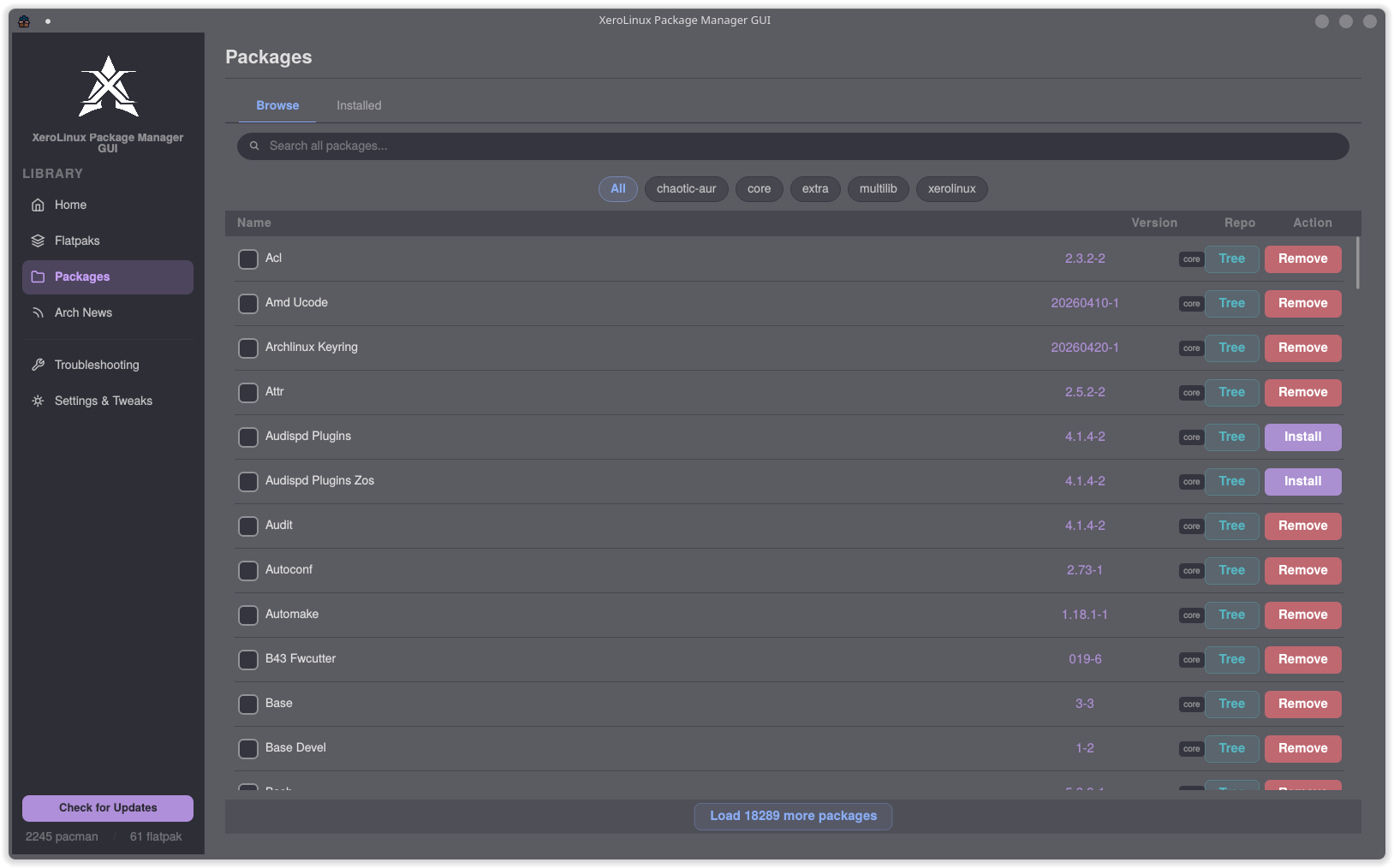
Packages: Browse Every Arch Repository
Every enabled repository is one tab away: core, extra, multilib, chaotic-aur, xerolinux, with search across all of them at once. Each row shows the package name, version, repository badge, and a direct Install or Remove action. No need to remember which repo a package lives in.
AppImages: Run Without Installing
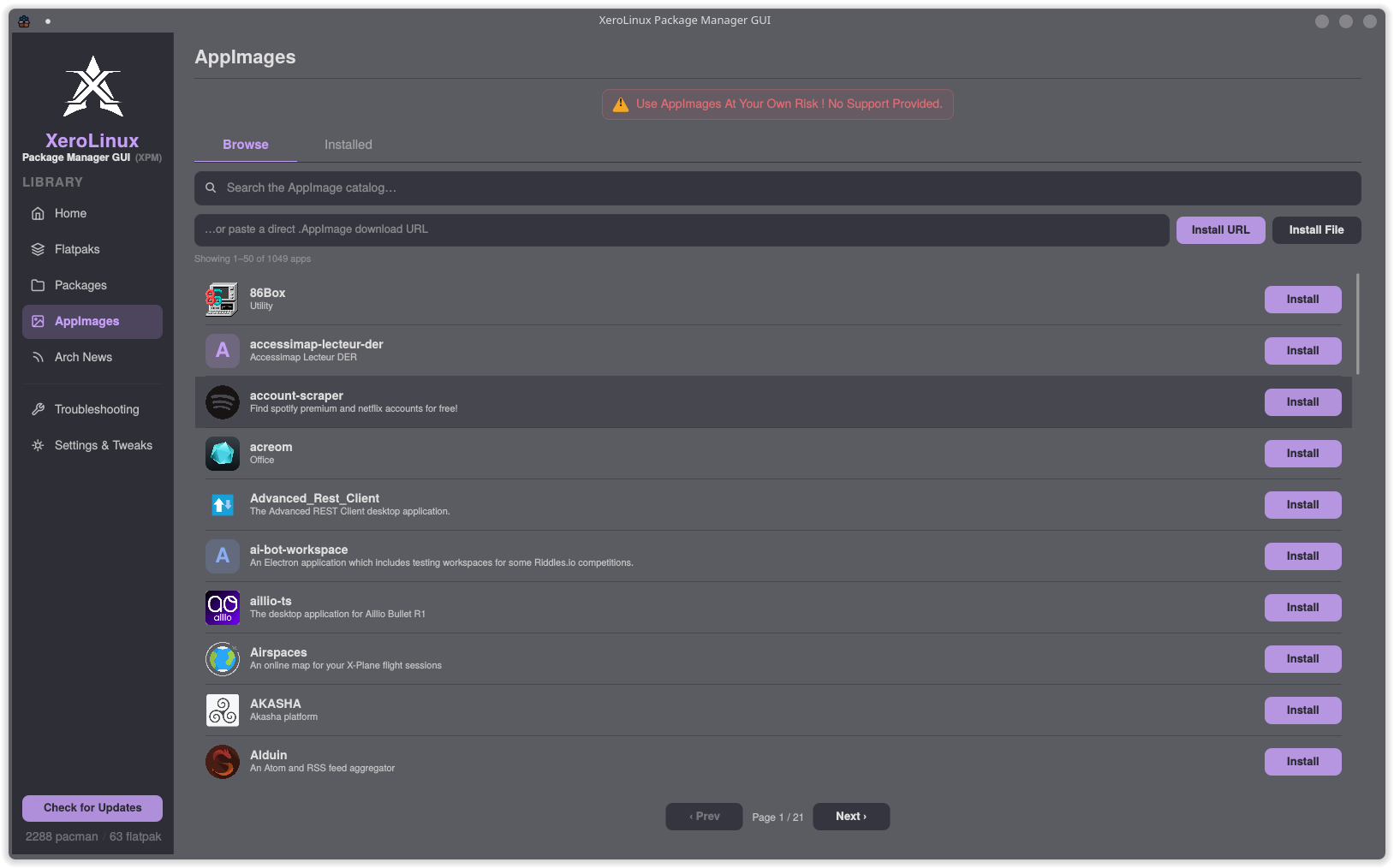
Over 1,000 applications available to browse, search, and launch as self-contained AppImages. No package manager involvement, no root required, no dependency conflicts. Paste a direct download URL or load a file from disk for anything not in the catalog. A Browse tab shows what is available and an Installed tab tracks what you have already pulled down. A built-in warning is front and centre: AppImages are unsupported third-party bundles, used entirely at your own risk.
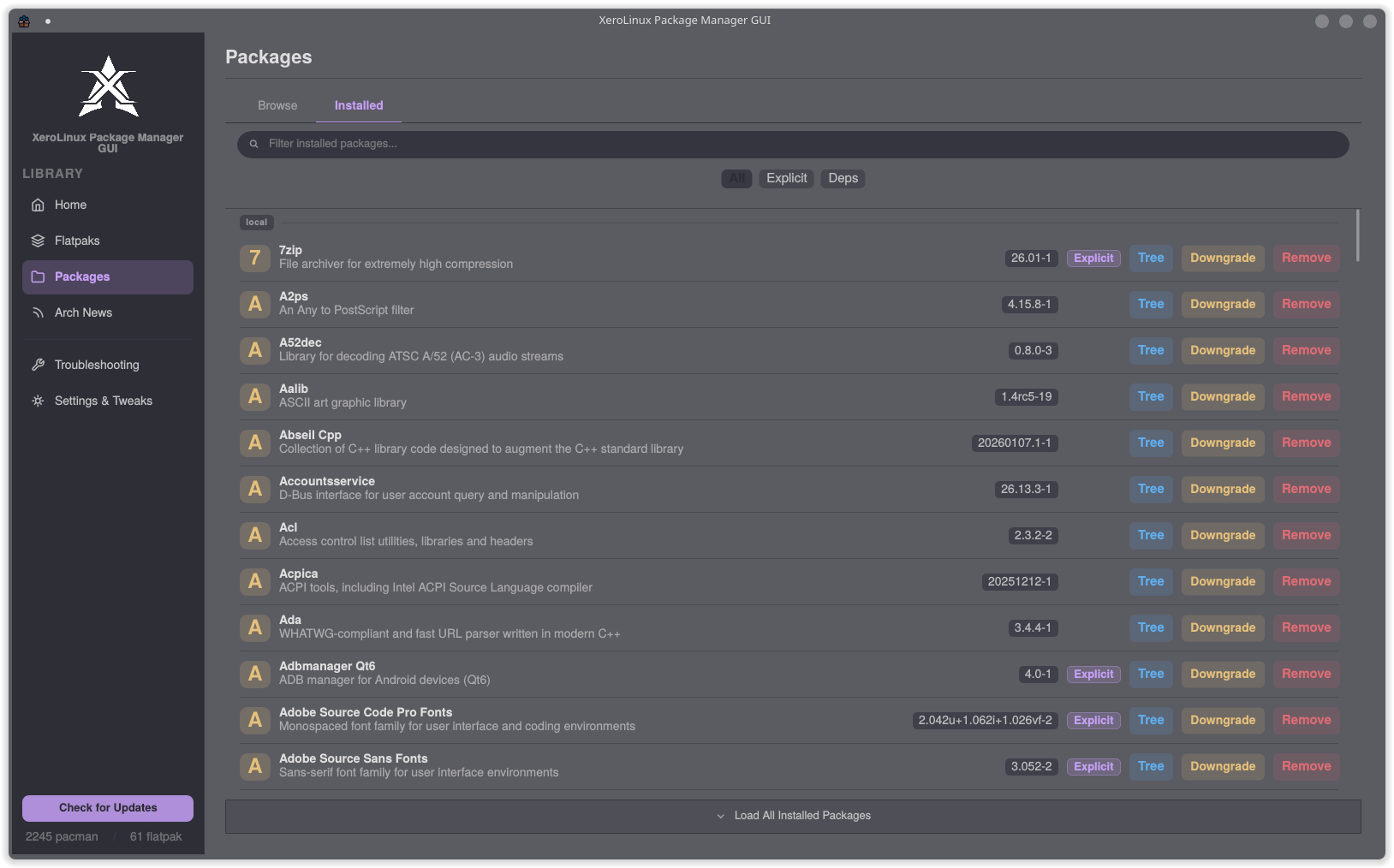
Installed Packages
Every package on your system with version, repository, and whether it was installed explicitly or pulled in as a dependency. Tree, Downgrade, and Remove actions per row.
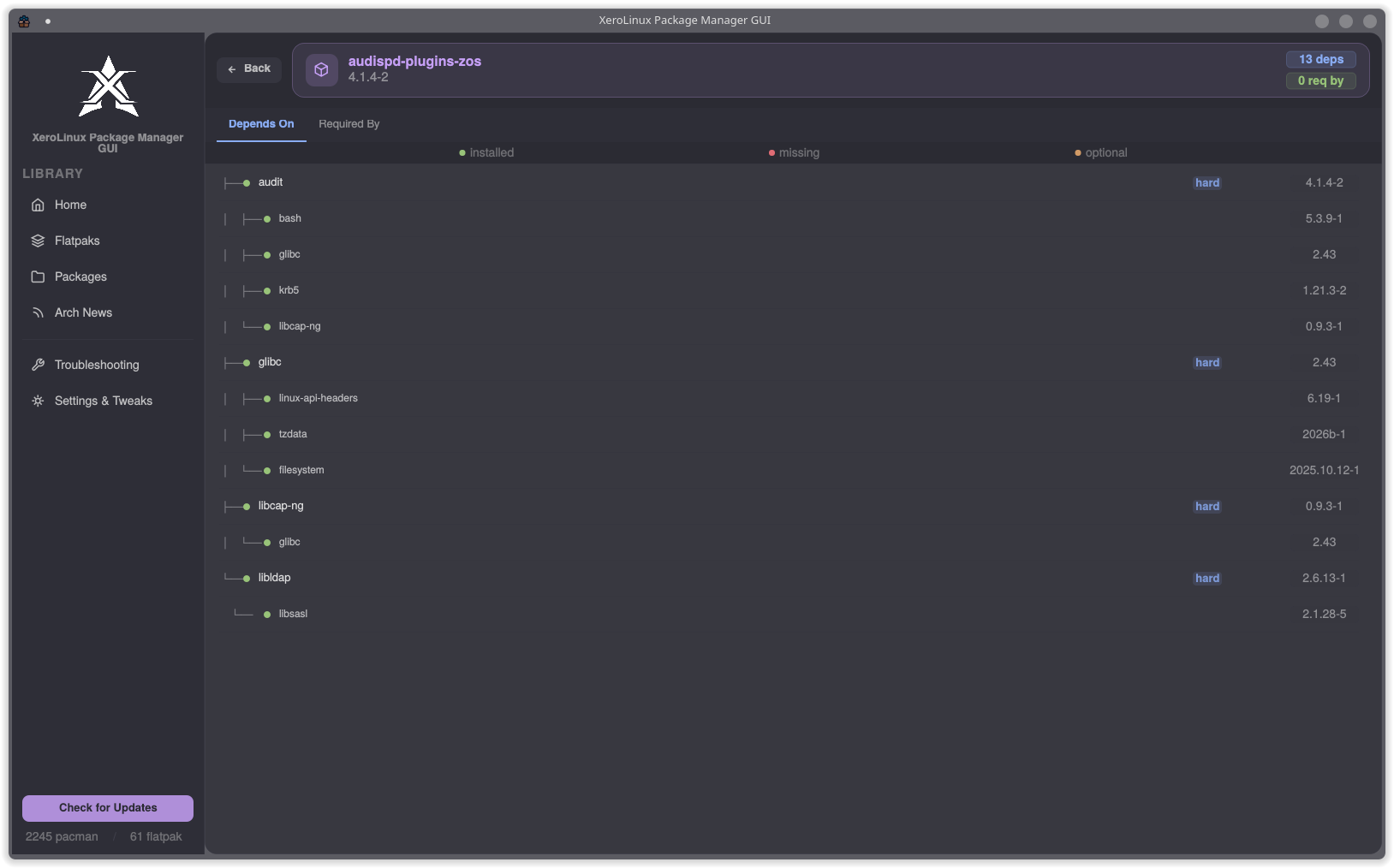
Dependency Tree
Full interactive dependency graph for any package. Depends On and Required By tabs, colour-coded as installed (green), missing (red), or optional (orange) with version numbers on every node. No more parsing pactree output in a terminal.
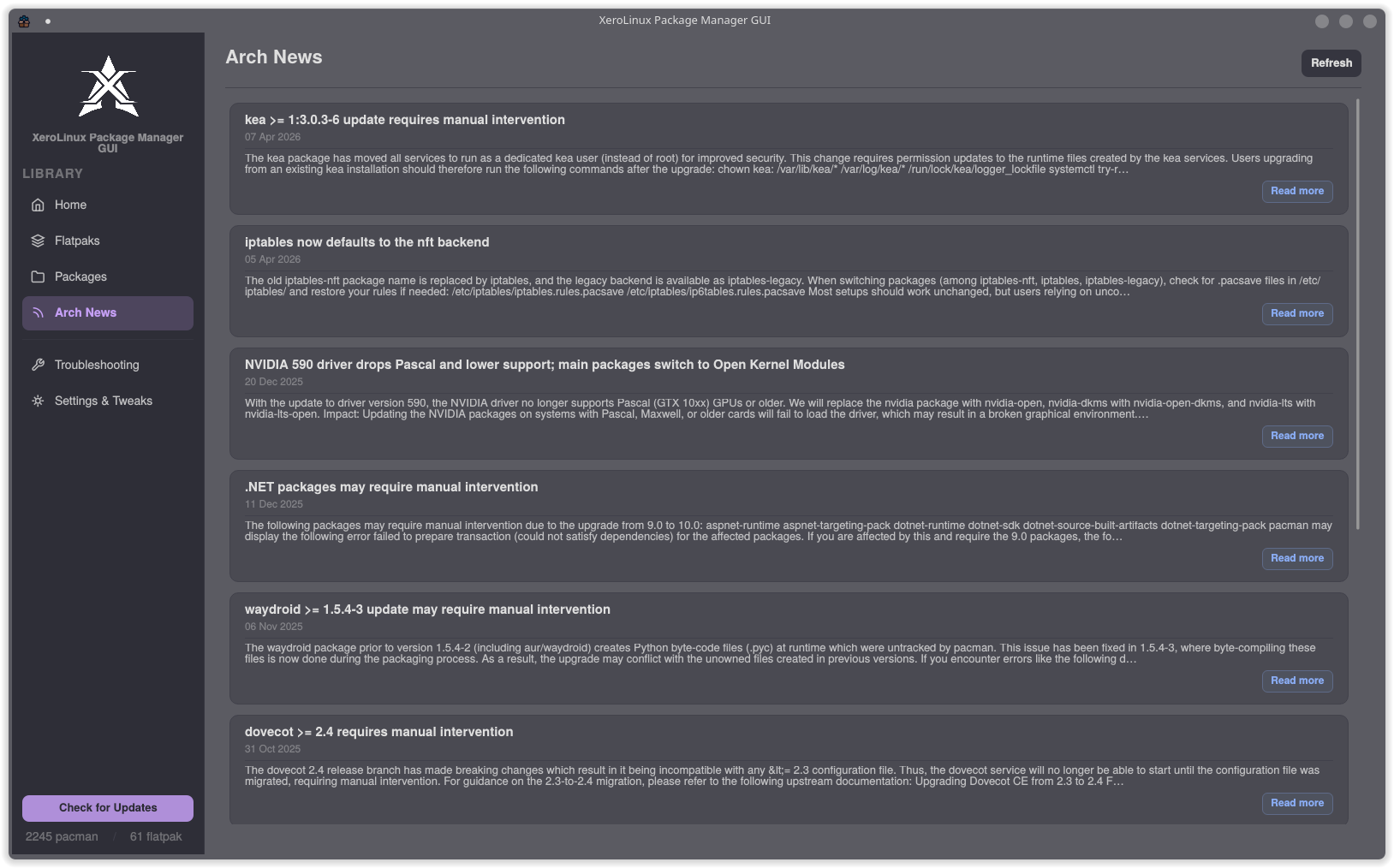
Arch News
Latest announcements from archlinux.org displayed inline. Arch sometimes requires manual steps before upgrading. Read the news first, then upgrade.
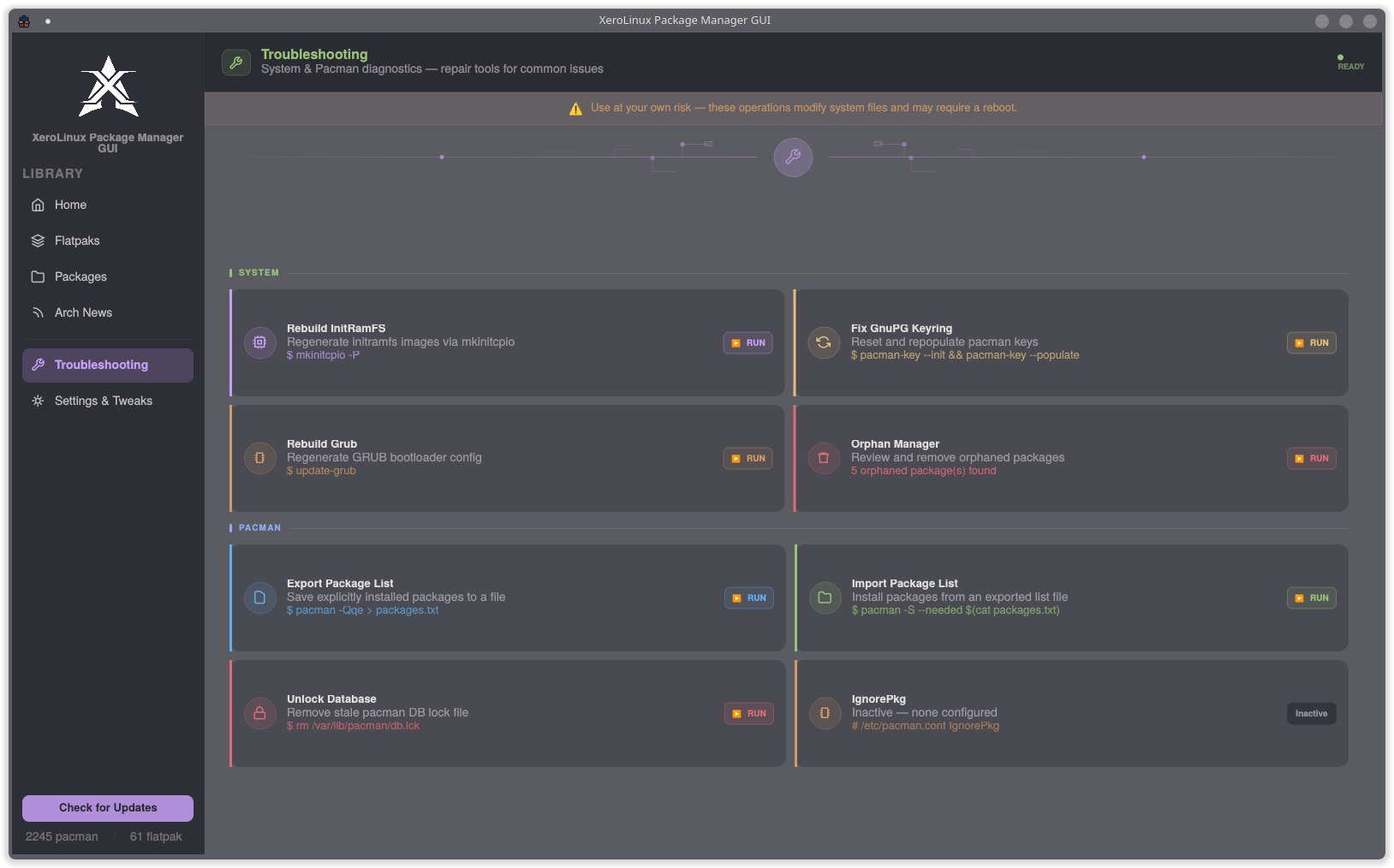
Troubleshooting
Seven repair tools for the most common Arch problems. Each one shows the exact command it runs before doing anything.
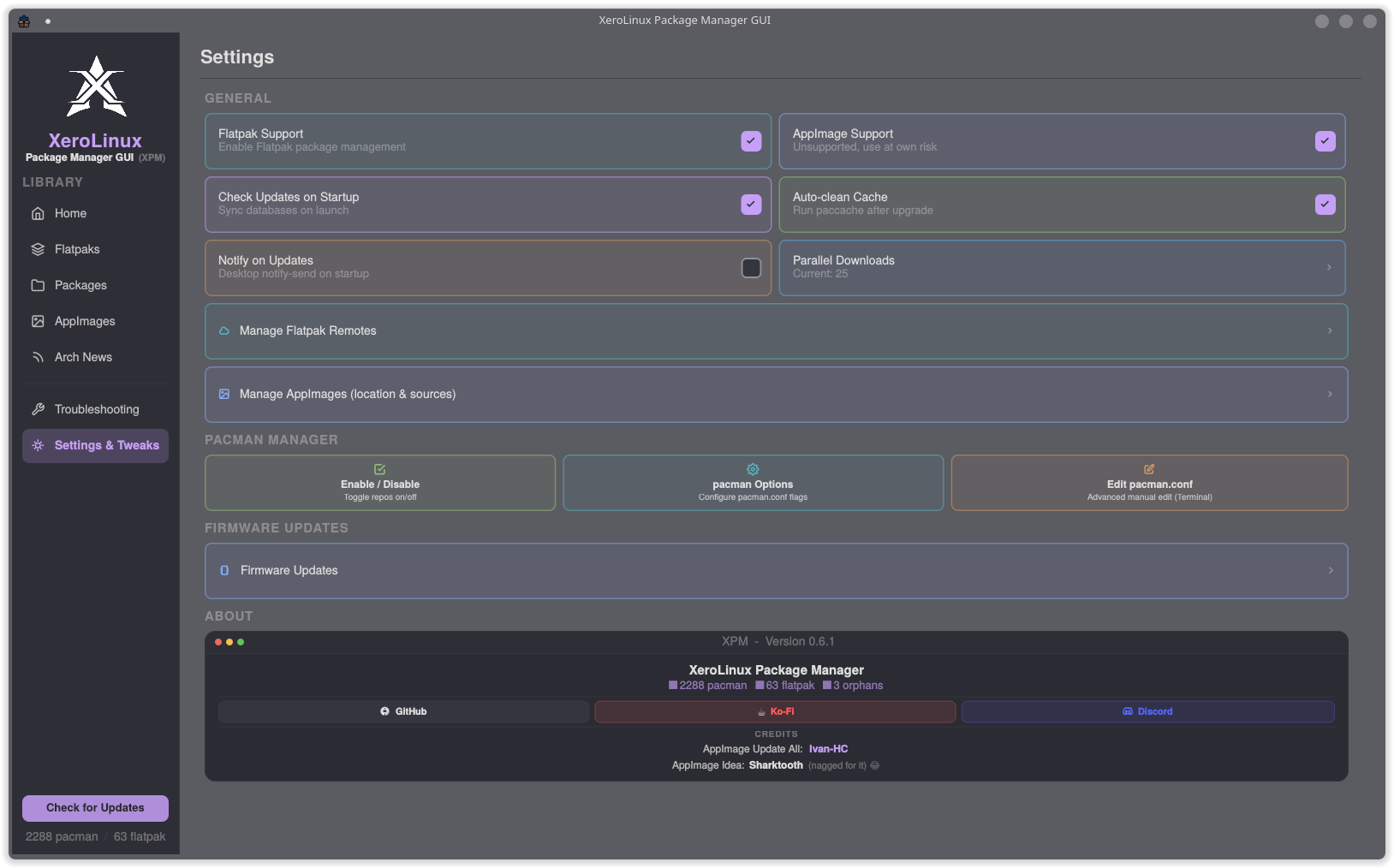
Settings and Tweaks
Fine-tune everything you would normally edit by hand in pacman.conf: Flatpak support, cache cleanup, parallel downloads, HoldPkg, repo manager, firmware updates via fwupdmgr, and more. The About section links directly to GitHub, Ko-Fi, and the XeroLinux Discord.
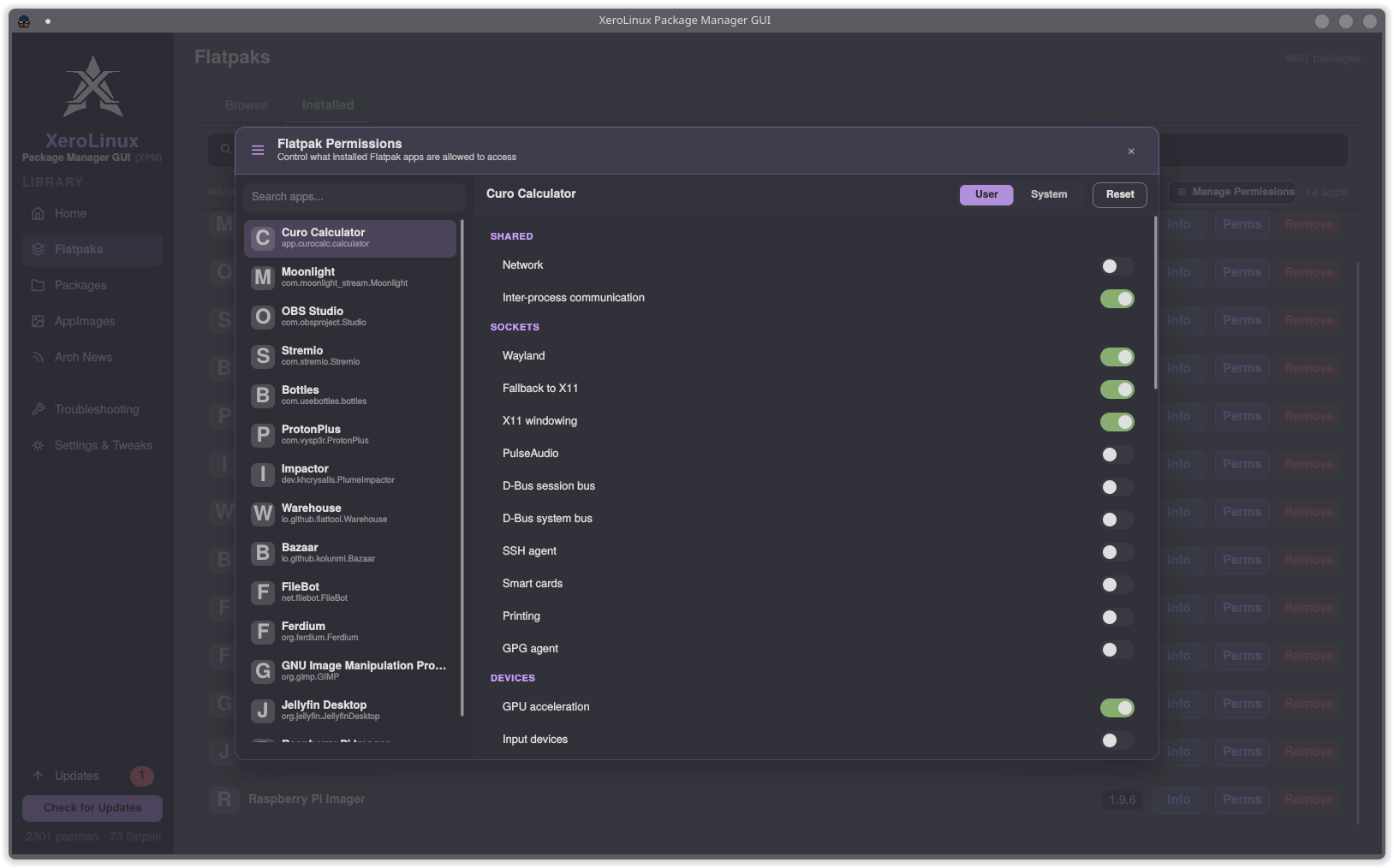
Flatpak Permissions
Per-app permission control for every installed Flatpak. Toggle network, IPC, Wayland, X11, D-Bus, GPU access and more without touching the terminal. User and system overrides shown side by side with a one-click Reset.
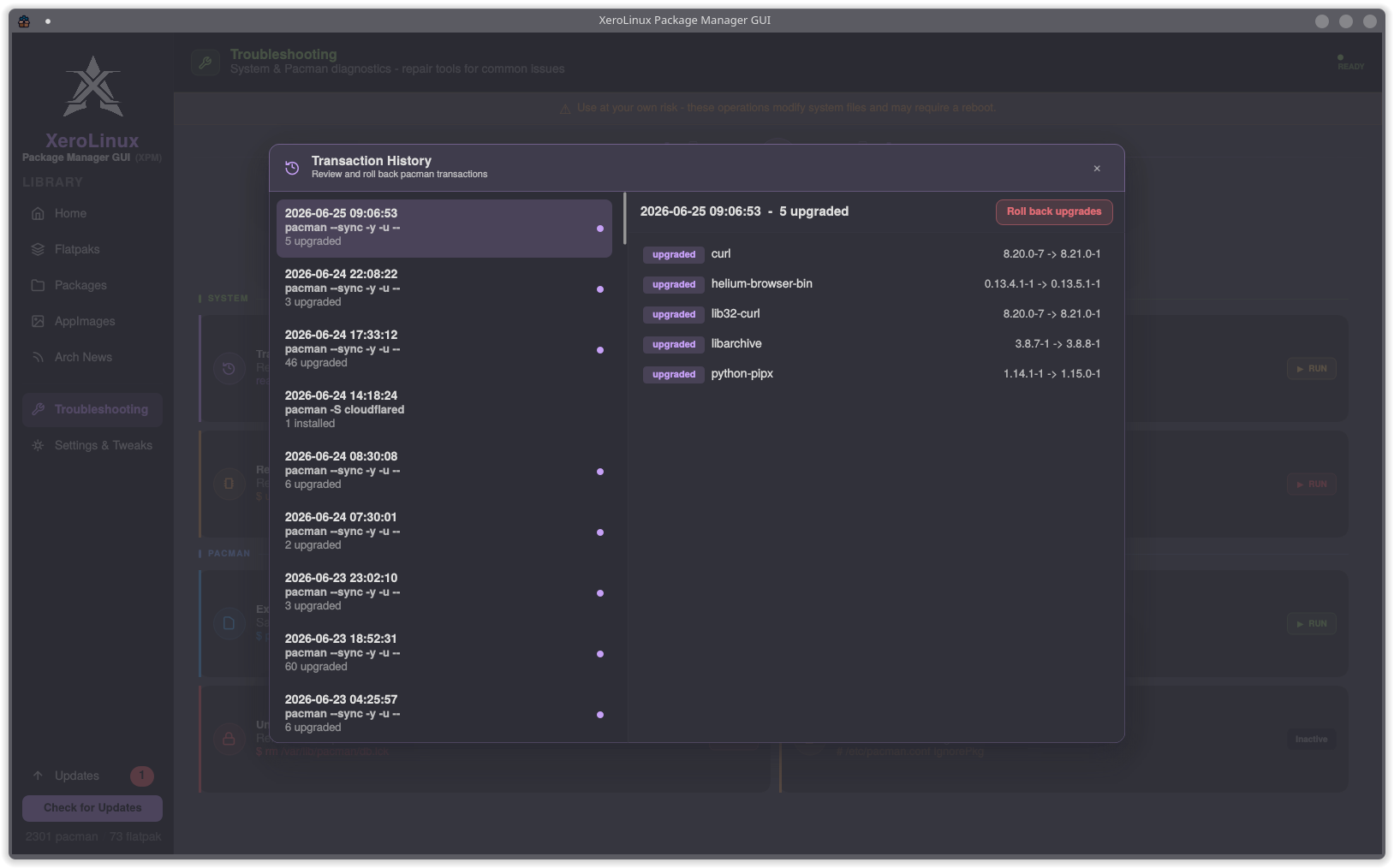
Pacman Rollback
Full transaction history sourced from pacman logs. Select any past upgrade, see exactly which packages changed and their version deltas, then roll it back in one click. No manual downgrade commands needed.
Troubleshooting Tools
Section titled “Troubleshooting Tools”| Tool | What it does |
|---|---|
| Fix GnuPG Keyring | Resets and repopulates pacman keys |
| Rebuild GRUB | Regenerates GRUB bootloader config |
| Orphan Manager | Reviews and removes orphaned packages |
| Export Package List | Saves all explicit packages to a file |
| Import Package List | Reinstalls from an exported list |
| Unlock Database | Removes stale pacman DB lock file |
| IgnorePkg | Manages packages excluded from upgrades |
Getting It
Section titled “Getting It”xPackageManager is available via the XeroLinux repository. If you are already on XeroLinux, install it with:
sudo pacman -Syy xpm-guiOr build/update from source (Other Distros):
- Dependencies :
sudo pacman -S --needed base-devel git- Build & Install :
git clone https://github.com/xerolinux/xPackageManagercd xPackageManager/packaging && ./build.sh- To update:
cd xPackageManager/ && git pullcd packaging/ && ./build.shBug reports and feature requests live on GitHub. If xPackageManager saves you time, consider supporting development on Ko-Fi, it goes directly toward keeping XeroLinux and its tools alive.