
Xero's Arch ARM Flasher
So you want Arch Linux ARM on a Raspberry Pi 4 without spending an hour doing post-install setup over SSH. That is exactly what this tool is for.
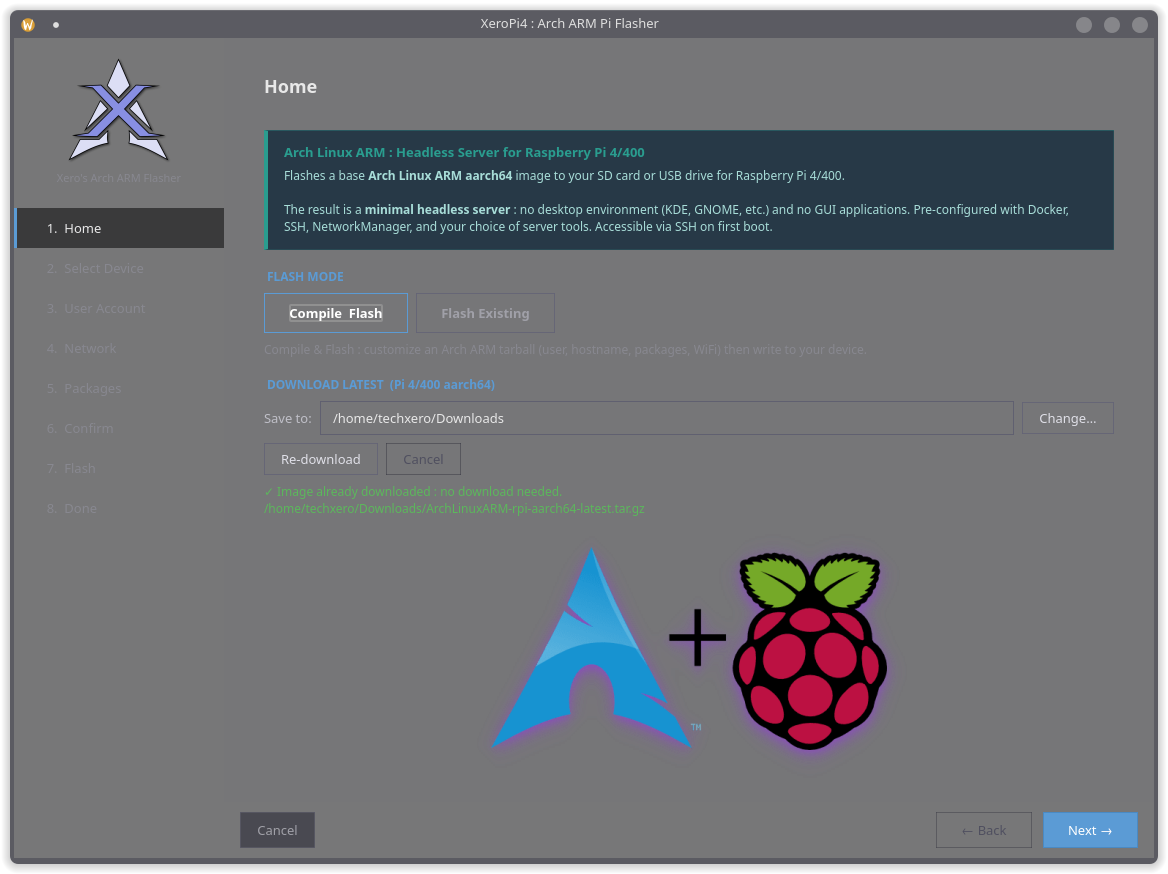
XeroArchArm is a simple GUI that takes an official Arch ARM tarball, lets you set your username, password, hostname, WiFi, and packages, then writes everything to your SD card or USB drive ready to go. Boot the Pi, it does its thing, reboots, and you are dropped into a clean headless server. No fiddling, no second SSH session to finish what the flasher started.
Features
Section titled “Features”Baked Configuration
Username, password, hostname, SSH key, WiFi credentials, and static IP for both WiFi and Ethernet. All set before first boot.
First-Boot Package Installer
Installs your selected packages via pacman on first boot, then self-removes. Your Pi comes up fully loaded.
Flash Verification
Confirms BOOT and ROOT partition labels after writing. If something is wrong, you know before you plug in the Pi.
Quiet Boot
Suppresses kernel console spam on HDMI for a clean login prompt instead of a wall of boot text.
Pi 4 Tuned
Correct keyring, pacman tweaks, mkinitcpio hooks, and U-Boot boot args configured specifically for Pi 4/400.
Static Networking
Independent static IP profiles for Ethernet and WiFi via NetworkManager. Set it and forget it.
How It Works
Section titled “How It Works”It is a wizard, so you just follow the steps:
- Pick your Arch Linux ARM tarball, or let it download the latest one for you
- Choose where to write it: SD card, USB drive, or NVMe in an enclosure
- Fill in your username, password, hostname, network config, and which packages you want
- Hit Flash and walk away. It writes, configures, and verifies the image
- First boot, the Pi installs your packages, then reboots clean. You SSH in and everything is there
Package Categories
Section titled “Package Categories”| Category | Examples |
|---|---|
| Server Core | openssh, networkmanager, docker, fail2ban, sudo |
| Monitoring | btop, glances, smartmontools, iotop, nethogs |
| Network Tools | nmap, tcpdump, mtr, bind-tools, iperf3 |
| VPN & Tunneling | tailscale, wireguard-tools, openvpn |
| File Sharing | samba, nfs-utils, rclone |
| Security | ufw, lynis, rkhunter, aide, nftables |
| Web & Proxy | nginx, caddy, haproxy |
| Databases | mariadb, postgresql, redis, sqlite |
| Homelab | mosquitto, grafana, prometheus, node_exporter |
| Utilities | fzf, bat, ripgrep, jq, fd |
Requirements
Section titled “Requirements”You need to be running Arch Linux on the machine doing the flashing, since the tool relies on pacman to pull in what it needs. Beyond that:
pythonpython-pyside6libarchiveuboot-toolspolkit- The official Arch Linux ARM tarball for RPi 4 from archlinuxarm.org (or just let the tool grab it)
Running the Tool
Section titled “Running the Tool”No installation needed. Just run this from your terminal:
curl -fsSL https://urls.xerolinux.xyz/XeroArchArm | bashThat one command grabs the latest version, sets up the polkit policy so it can write to block devices, and launches the tool. Run it again any time to update.
Connecting to Your Pi
Section titled “Connecting to Your Pi”First boot takes a bit longer than usual because the Pi is installing your selected packages in the background. Give it a minute or two, then it reboots on its own. After that it is ready.
If you set a static IP during setup, SSH straight to it:
On DHCP, try the hostname you set followed by .local (mDNS resolves it on most home networks):
If neither works, log into your router and find the Pi in the DHCP lease list to get its IP.
Bug reports and feature requests live on GitHub. If XeroArchArm saves you time, consider supporting development via our Ko-Fi. It goes directly toward keeping XeroLinux and its tools alive.