
XeroLinux In-House Tools
XeroLinux Repo
Section titled “XeroLinux Repo”Some of the tools below are only available on our Repo. In order to install them you will need to add it before proceeding.
Run below command :
echo -e '\n[xerolinux]\nSigLevel = Optional TrustAll\nServer = https://repos.xerolinux.xyz/$repo/$arch' | sudo tee -a /etc/pacman.confThat’s basically it, now update database with sudo pacman -Syyu and you will notice my repo part of the update.
Customization Hub
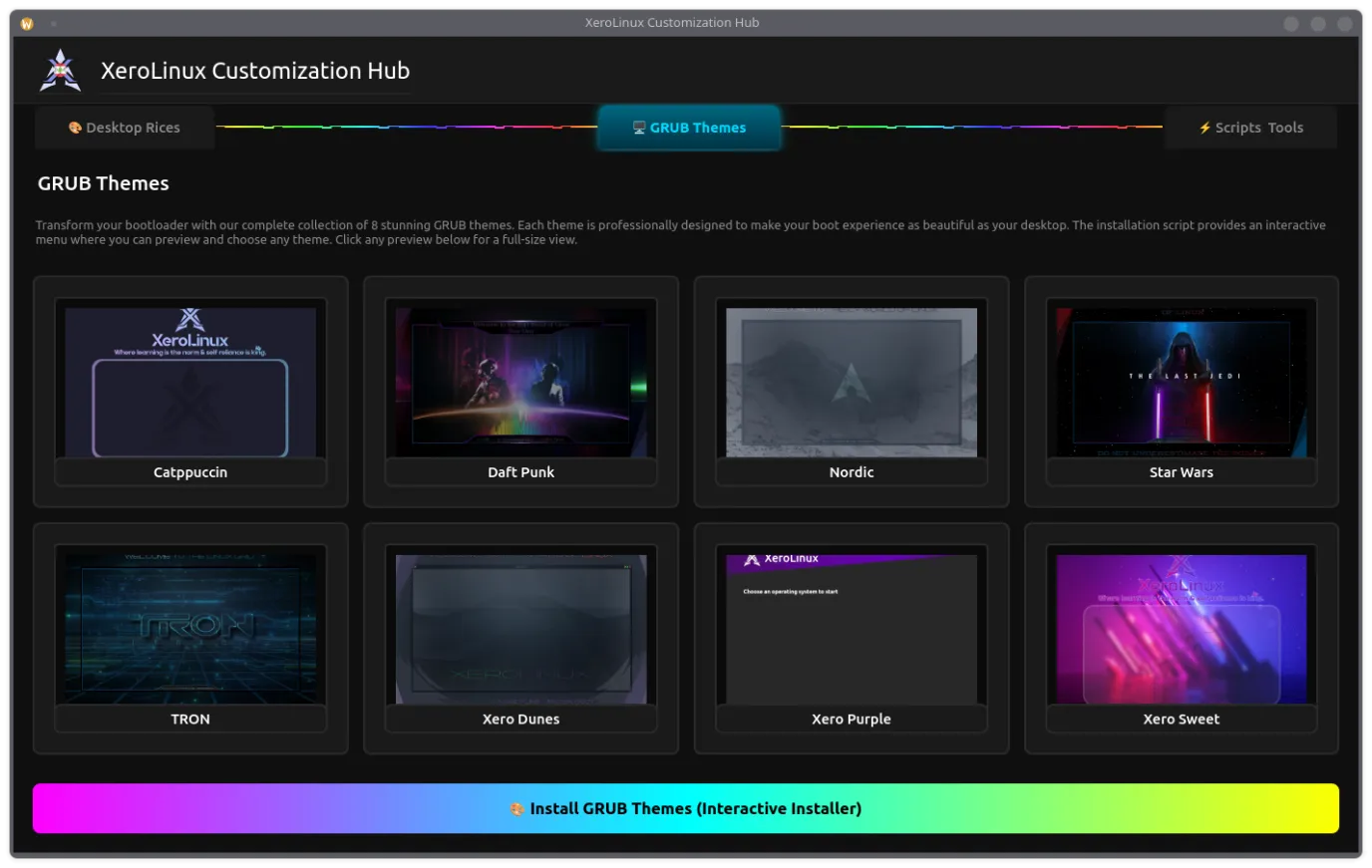
Section titled “Customization Hub”The XeroLinux Customization Hub is a PyQt6-based GUI tool that brings together all XeroLinux themes, rices, scripts, and system tools in one interface. It works on any Arch-based system, not just XeroLinux.
Features
Section titled “Features”- Desktop Rices — Pre-configured desktop themes and layouts
- GRUB Themes — 8 bootloader themes
- Scripts & Tools — System utilities and configuration scripts
Execution
Section titled “Execution”- Dependencies
sudo pacman -S python python-pyqt6- Run The Tool
curl -fsSL https://xerolinux.xyz/script/xero-tool.py | python3Scheduler Tool
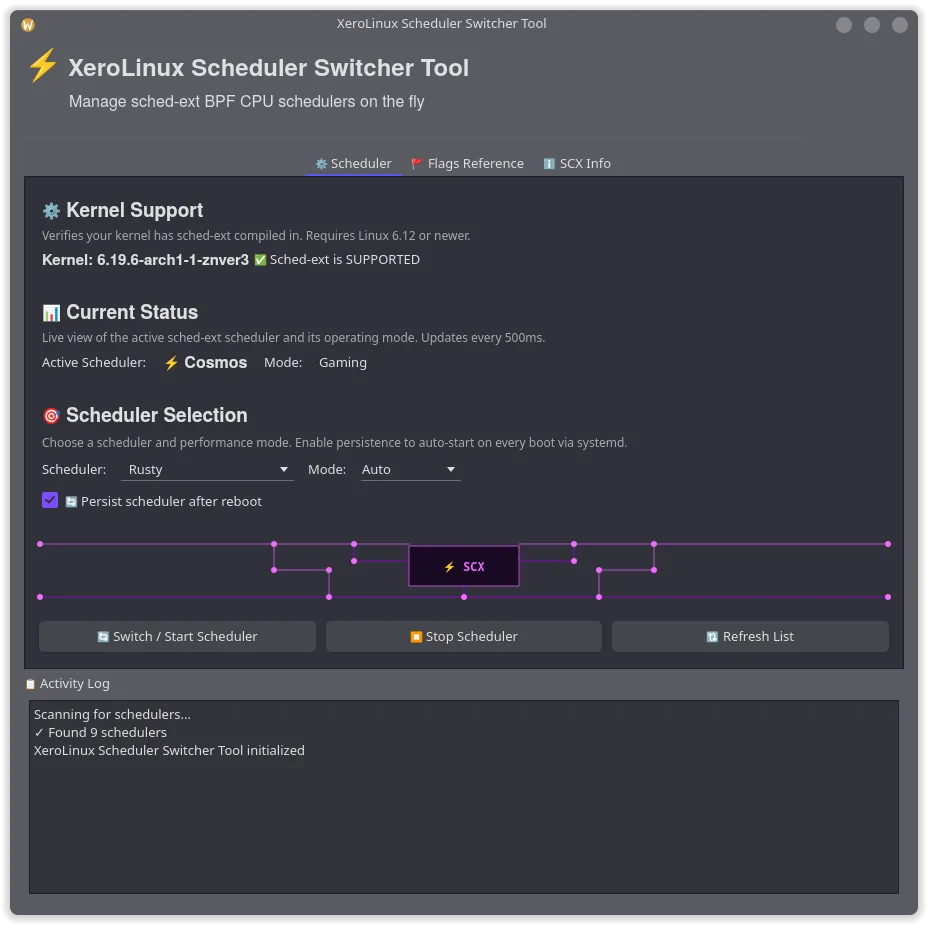
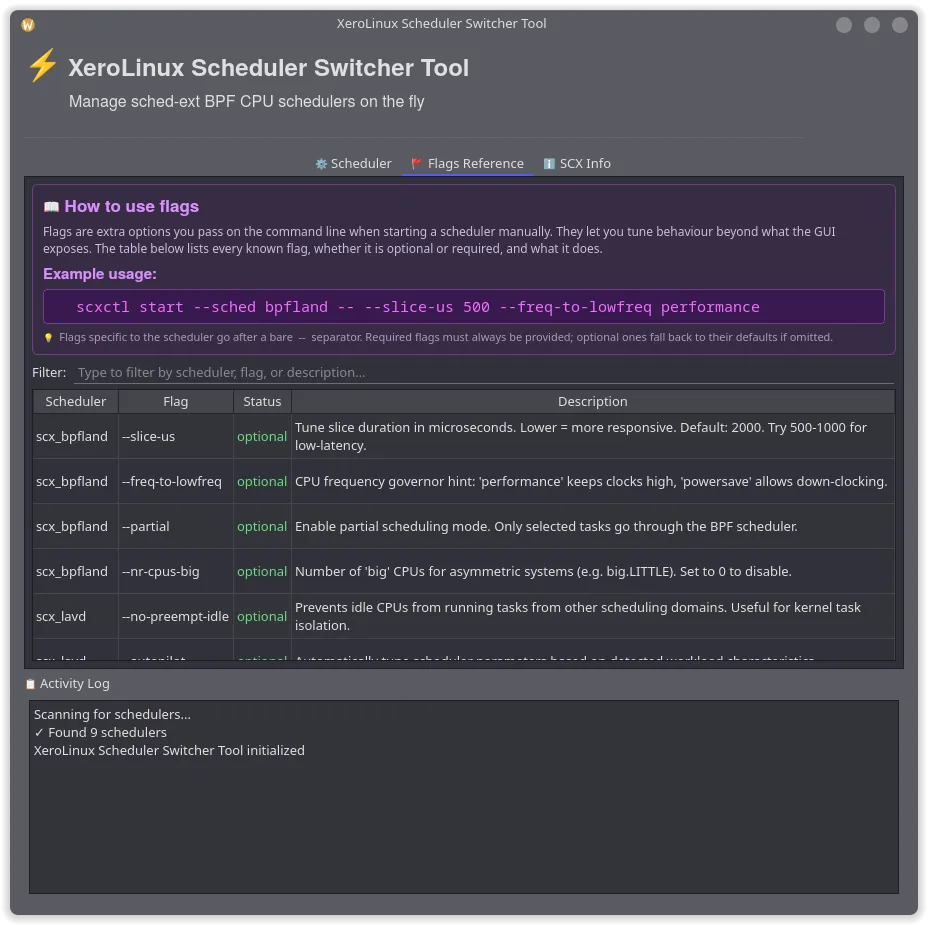
Section titled “Scheduler Tool”A comprehensive GUI application for managing sched-ext CPU schedulers for ArchLinux.
Features
Section titled “Features”- Live Scheduler Switching: Switch between sched-ext BPF CPU schedulers on the fly.
- Real-time Monitoring: Continuous status updates showing active scheduler and mode.
- Persistence Support: Enable schedulers to auto-start on boot via systemd service.
- Multiple Modes: Support for auto, gaming, lowlatency, and powersave modes.
- Kernel Compatibility Check: Automatic detection of sched-ext kernel support.
How-to-use
Section titled “How-to-use”You need the following dependencies :
sudo pacman -S scx-scheds scx-toolsNow you can run it and play around with the various Schedulers. Use the SCX Info tab to see what each one does.
curl -fsSL https://urls.xerolinux.xyz/SCXTool | python3Howdy-Qt
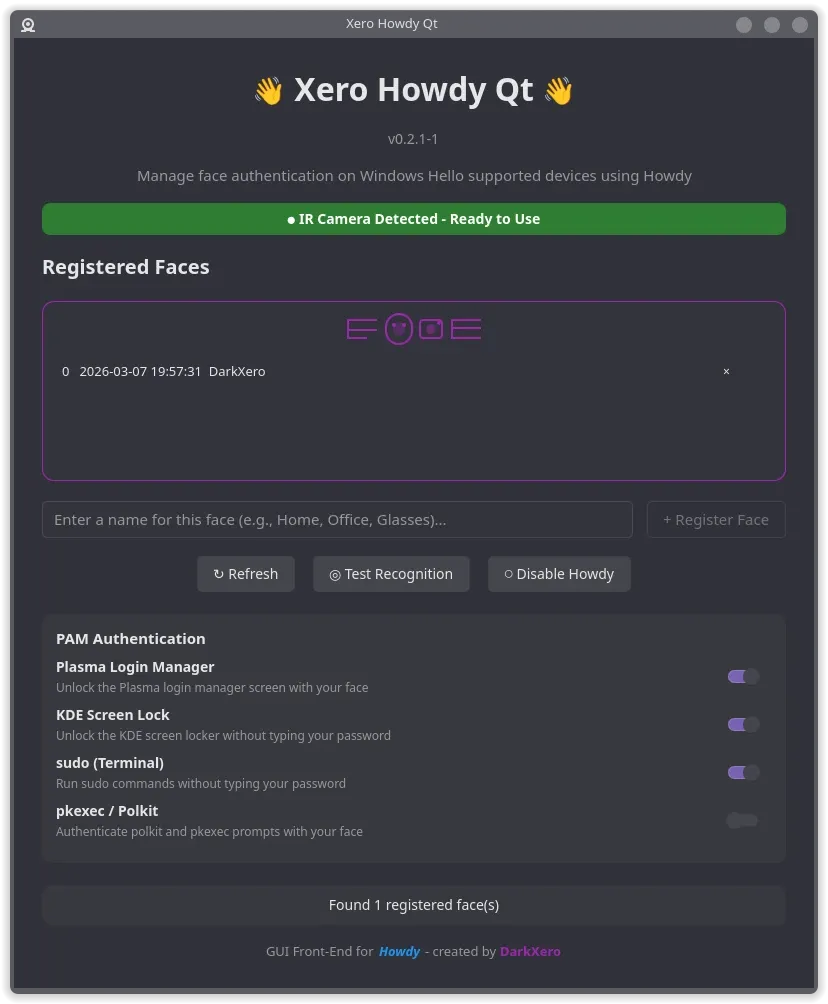
Section titled “Howdy-Qt”This tool is for the few of you using Linux/XeroLinux on a Windows Hello supported device or Laptop. It’s a G.U.I front-end for a C.L.I tool called Howdy. I worked hard on it, and it was improved upon by Marco-M a contributor to the project.
Features
Section titled “Features”- Test face recognition
- SDDM/PLM Support (KDE)
- Manage face models (add/remove)
- Enable/disable Howdy globally
- Select & preview camera device
- Toggle face auth per service (sudo, login, polkit, etc.)
Installation
Section titled “Installation”You need to have the XeroLinux repo enabled to be able to install this.
sudo pacman -S xero-howdy-qtFor SDDM/PLM, hit enter on empty password field first, same goes for the Lock Screen. Then it’ll work.
To see features, test it out, follow progress and report any issues or suggestions visit the the tool’s Github Repo.
EFIBoot Manager
Section titled “EFIBoot Manager”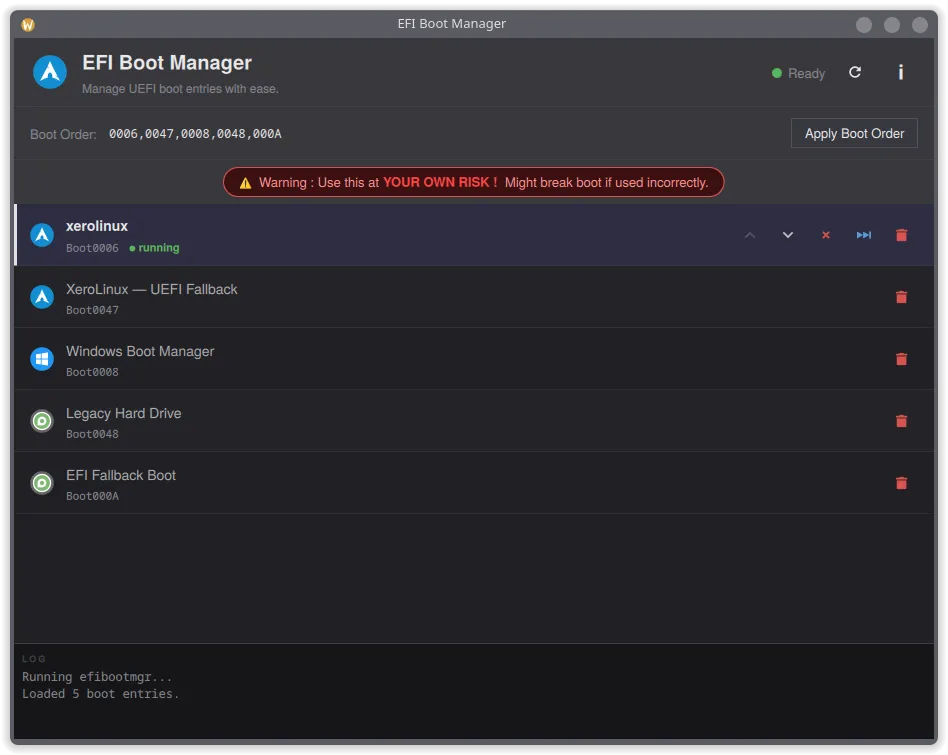
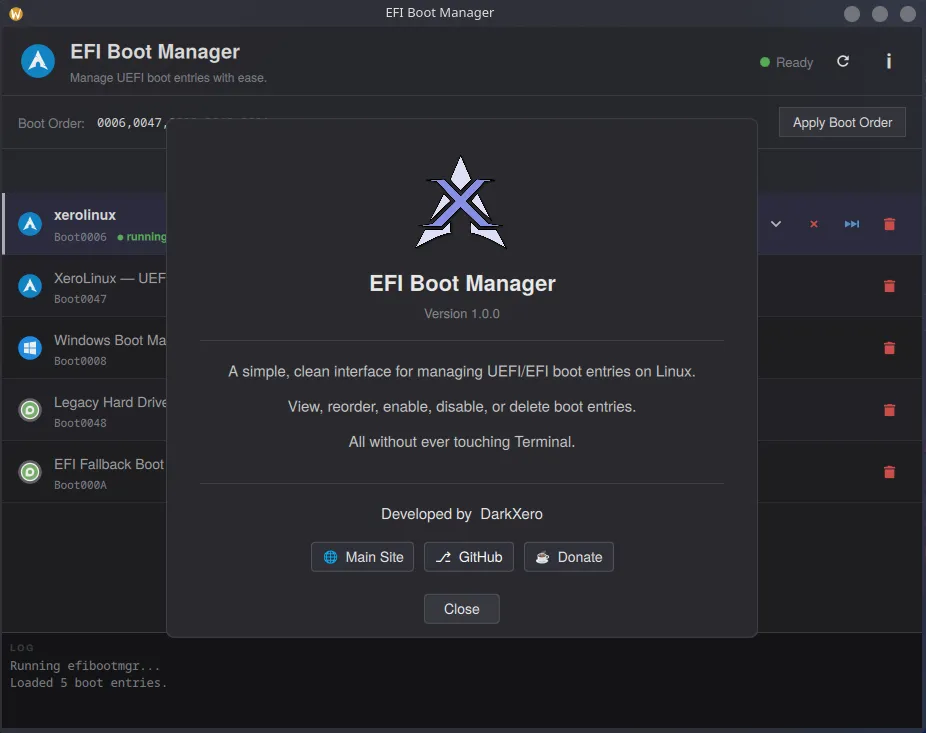
EFI Boot Manager GUI is a lightweight desktop app for Linuxhat lets you manage your UEFI/EFI boot entries without ever touching a terminal. USE AT YOUR OWN RISK !
Features
Section titled “Features”- Delete unwanted boot entries
- Enable or disable individual boot entries
- Reorder entries and apply a custom boot order
- Confirm dialogs to prevent accidental changes
- View all EFI boot entries with OS-specific icons
Installation
Section titled “Installation”You need to have the XeroLinux repo enabled to be able to install this.
sudo pacman -Syy efibootmgrguiWallpaper Browser GUI
Section titled “Wallpaper Browser GUI”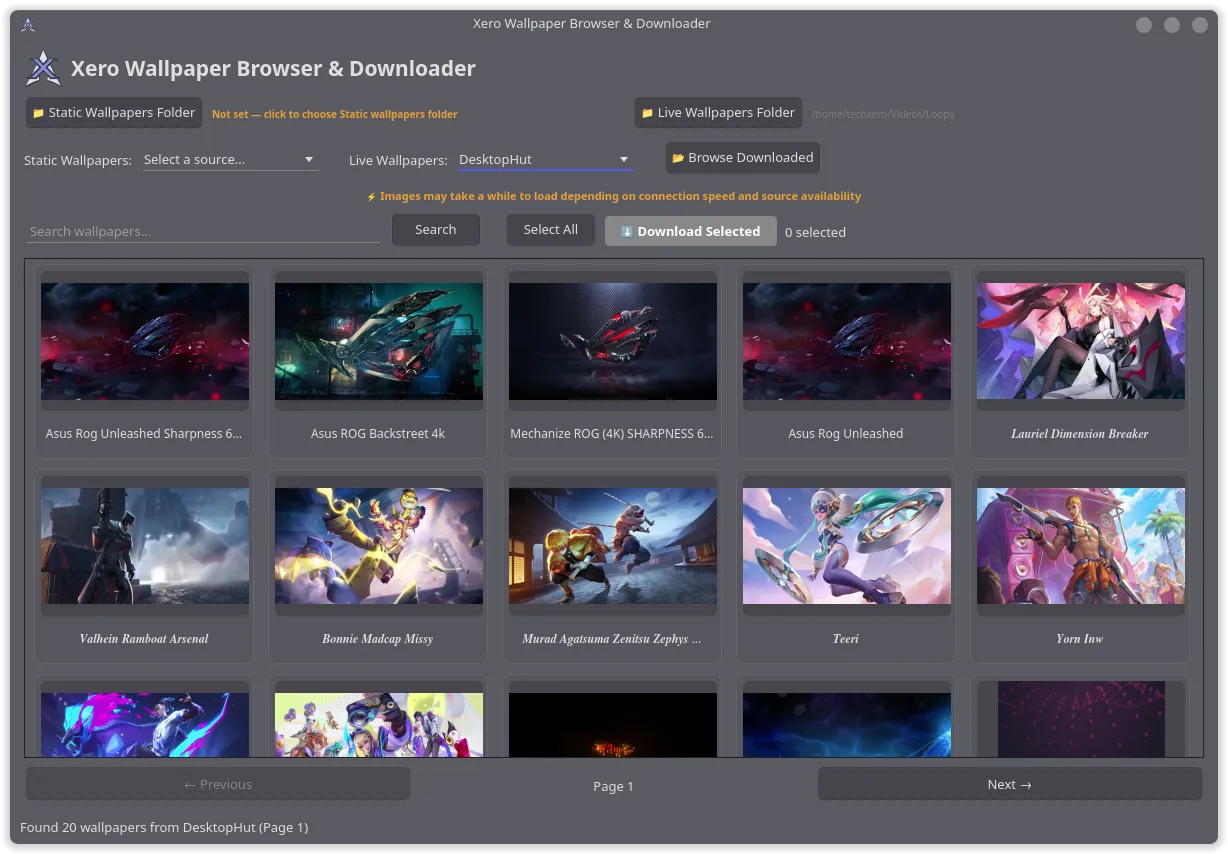
Browse, preview and download wallpapers & live wallpapers from multiple online sources, all from one app.
Features
Section titled “Features”- Browse static wallpapers from Wallhaven, 4K Wallpapers and DuskLinux
- Browse live/video wallpapers from MoeWalls, MotionBGs and DesktopHut
- Search, paginate and preview wallpapers from any source
- Multi-select with Ctrl+Click, Shift+Click and Select All
- Batch download with progress tracking to separate folders
- Browse downloaded wallpapers in a tabbed local viewer
- In-app image preview and video playback with full controls
- Set static wallpapers directly from the app (auto-detects your DE)
- Video thumbnails extracted from actual frames with play overlay
- Uses system theme with native look on any desktop environment
Installation
Section titled “Installation”You need to have the XeroLinux repo enabled to be able to install this.
sudo pacman -Syy xero-wallpaper-browserPHP Server GUI
Section titled “PHP Server GUI”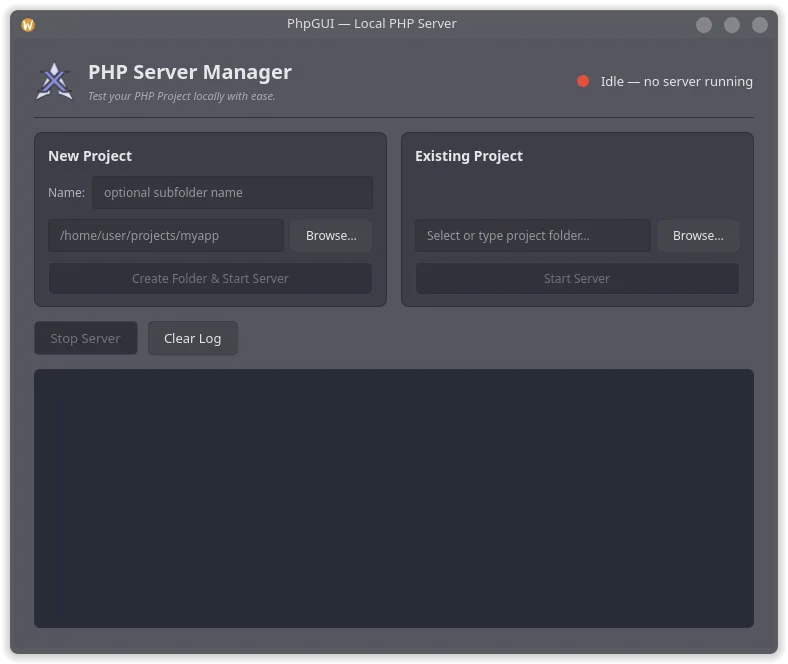
phpGUI is a lightweight desktop app that lets you spin up a local PHP development server without ever touching a terminal.
Features
Section titled “Features”- Create a new project folder and serve it instantly
- Browse for and serve any existing project directory
- Live Log. See server activity and errors in real time
- Clean two-card layout: New Project and Existing Project
- Start a PHP built-in server (php -S) with a single click
Installation
Section titled “Installation”You need to have the XeroLinux repo enabled to be able to install this.
sudo pacman -Syy phpguiTroubleshooting
Section titled “Troubleshooting”Plymouth Boot Delay
Section titled “Plymouth Boot Delay”On fast NVMe systems, the boot animation may flash too quickly. Add a delay:
sudo systemctl edit plymouth-quit.service --drop-in=long_splash.confAdd this content:
[Service]ExecStartPre=/usr/bin/sleep 6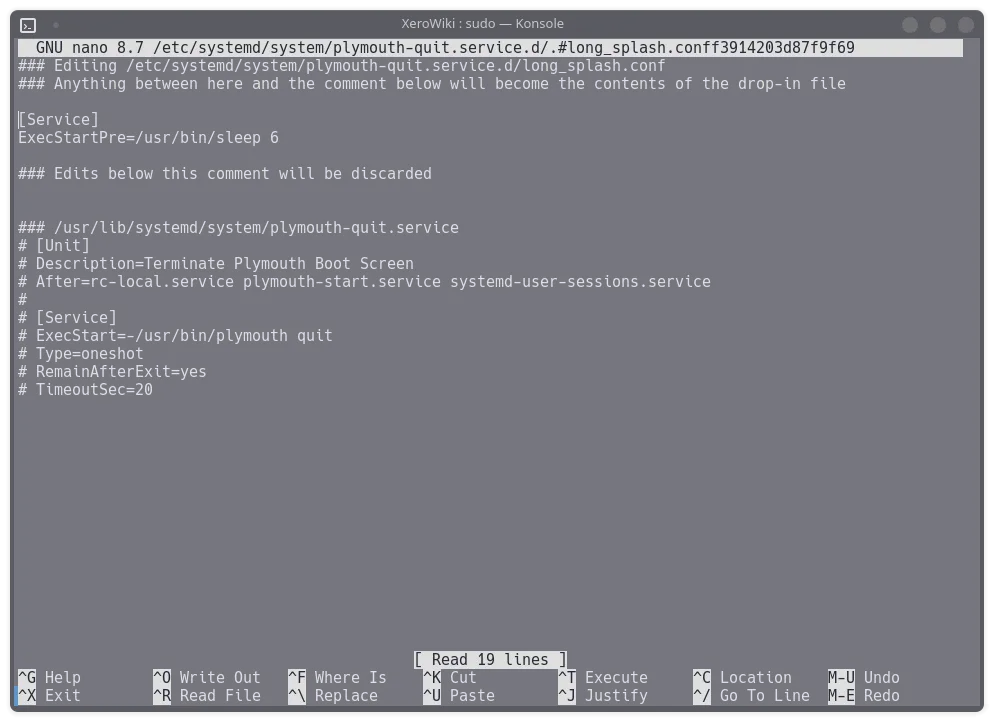
Adjust the 6 (seconds) to suit your hardware. Apply with:
sudo systemctl daemon-reloadPlymouth Multi-Monitor
Section titled “Plymouth Multi-Monitor”If the animation doesn’t scale correctly across monitors, specify your primary display in GRUB:
sudo nano /etc/default/grubAdd to GRUB_CMDLINE_LINUX_DEFAULT:
video=DP-1:1920x1080@60Replace DP-1 with your monitor identifier (use xrandr to check). Then update GRUB:
sudo grub-mkconfig -o /boot/grub/grub.cfg